
Prepare a Cloudflare account with a verified email, your preferred domain, accurate contact details and a payment method. This walkthrough searches a fictional example only; no domain was purchased. Captured availability and prices are time-specific. Signed-in checkout and completion are documented guidance, not captured screens.
Sign in to the correct account and verify its email. Start with the public search or use Register domains under Registrar / Domain Registration in the dashboard.
Enter the full domain you want. Our captured example, rify-guide-demo-20261105.com, is a fictional demonstration and is not a domain selected for a client.
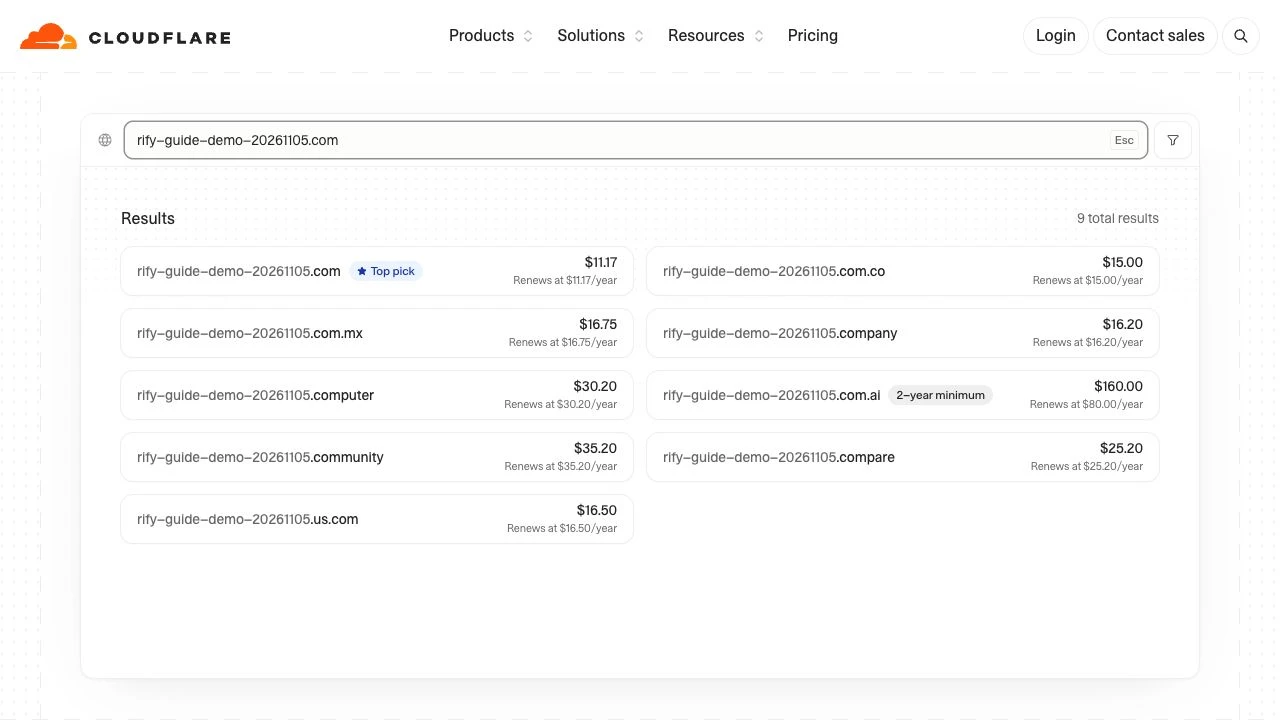
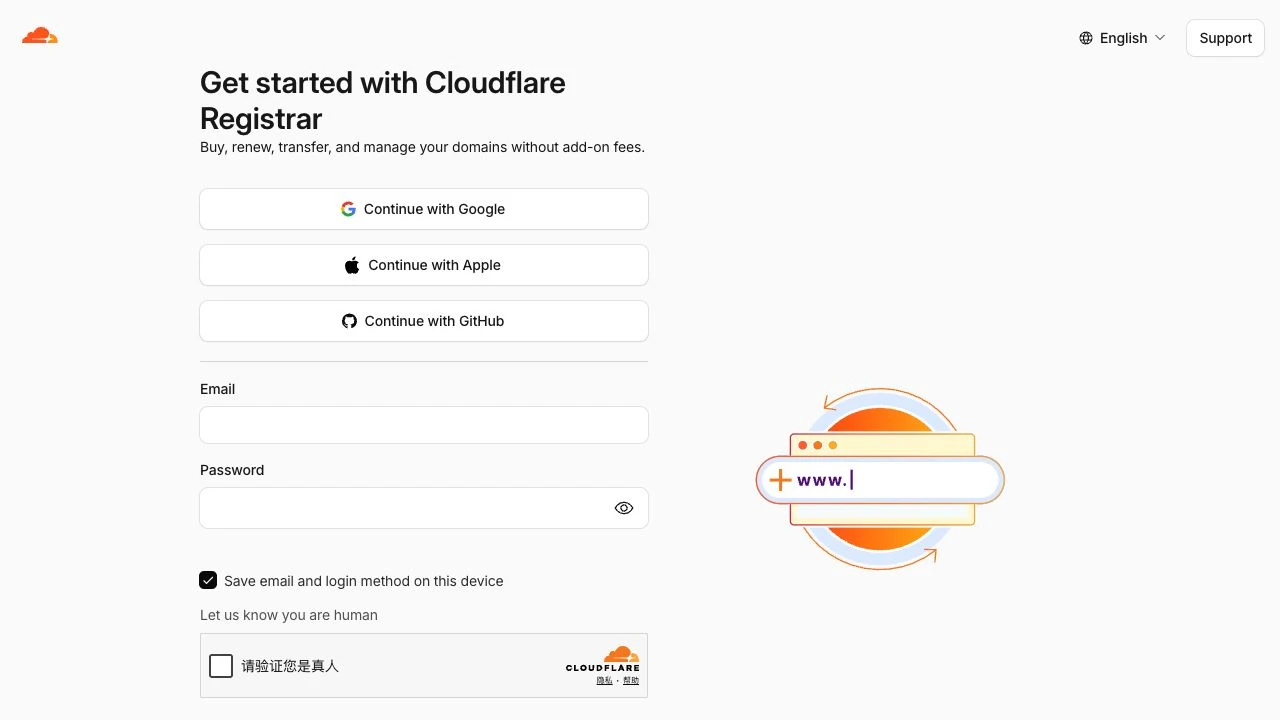
Public search shows Buy now and the registration and renewal prices. The dashboard may show Purchase. Selecting Buy now in this walkthrough opened the captured signup page. Existing users can choose Log in at the bottom.
Select the number of years at checkout. Check the total, expiration date and renewal date. Cloudflare documents auto-renewal as enabled by default for new registrations; review and manage it to suit your needs.
Complete the required name, email, phone and address fields. Cloudflare currently requires ASCII contact data. Check any prefilled contact belongs to the intended domain owner.
Choose a supported payment method and check the domain, term and total. Read the agreements. The payer selects Complete purchase only after confirming all details.
Check the domain management page and confirmation email, and complete any required registrant email verification. Account-email verification and registrant-email verification both matter.
Keep renewal reminders and account ownership with your business. Coordinate DNS and website setup with your project lead. Buying a domain does not by itself publish a website or provide an email inbox.
FAQ and official references
Do I need to buy a domain I already own again?
No. Use the appropriate DNS onboarding or registrar-transfer process for an existing domain.
Does an available search result guarantee registration?
No. Availability is checked again later. Confirm completion in domain management.
Will my website work immediately after purchase?
A domain and website hosting are separate. Deploy your site and configure the DNS records required by your website platform.
Next, let’s work together.
Share this guide with a colleague or contact your RIFY project lead.
Contact RIFY ↗Read next: How to create a Gmail account →Read next: What to prepare before your project starts →Read next: How to sign up for Cloudflare with email →Read next: How to register a Shopify store →Read next: How to set up Google Search Console for your website →Read next: How to set up Google Analytics 4 (GA4) →Read next: How to grant RIFY GA4 administrator access →Read next: How to grant RIFY Search Console access →Read next: How to grant RIFY Shopify administrator access →