
Google AI Mode and Gemini Checkout for Shopify Brands
Checkout powered by Shopify now runs inside Google Search AI Mode and the Gemini app. Your orders, customers and fulfilment are unaffected. Your measurement is not. Here is exactly what breaks, how to repair it, and the three cases where opting out is genuinely worth evaluating.
What shipped
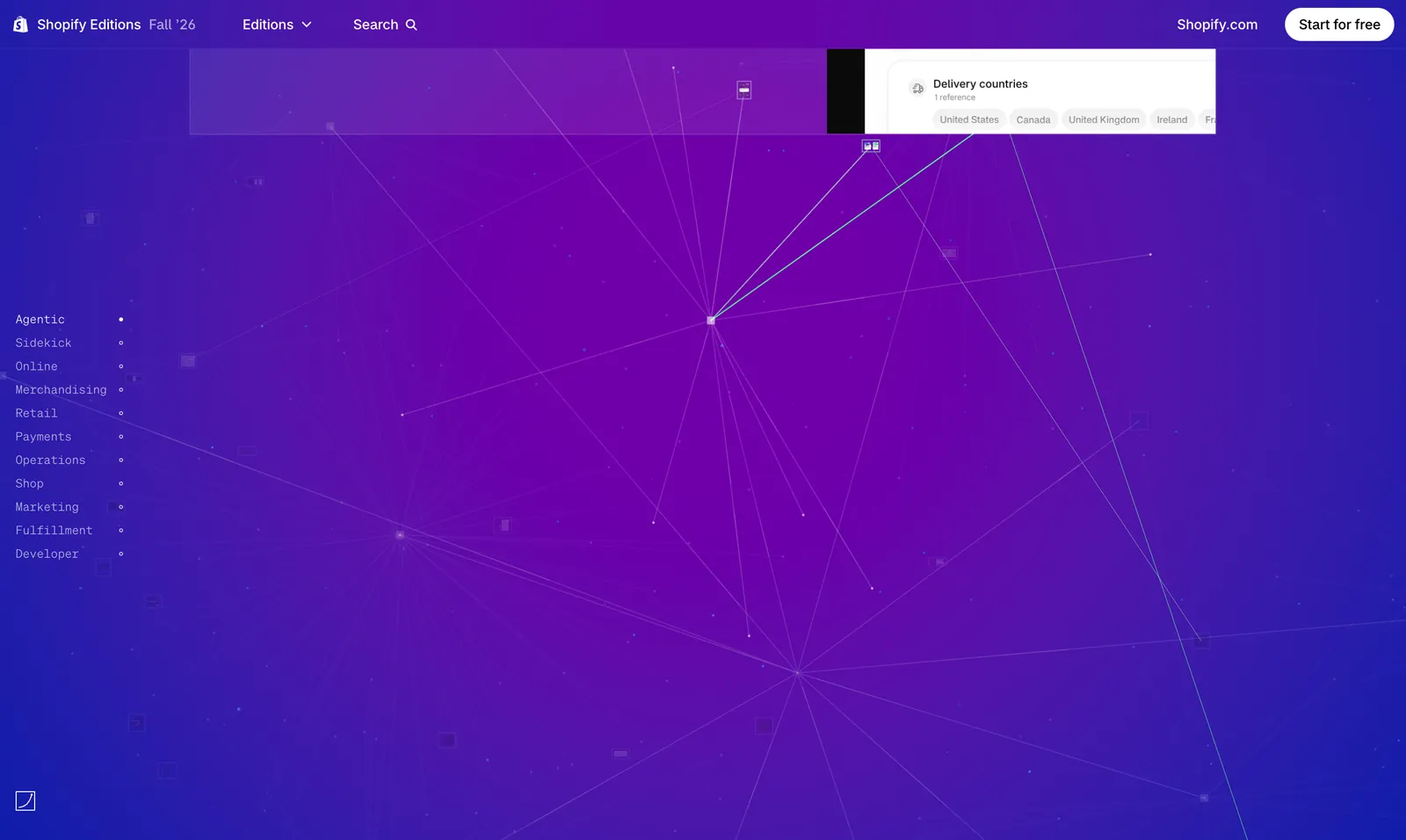
The Fall '26 release includes selling in Google Search — including AI Mode — and the Gemini app, with checkout powered by Shopify. The official release page is at www.shopify.com/editions/fall2026.
How it rolled out matters more than the wording. According to industry reporting, on 2026-09-22 Google enrolled eligible Shopify merchants into native checkout in AI Mode and the Gemini app, with merchants receiving an email that their store had been matched to Merchant Center. That reporting describes an opt-out rollout — enabled by default, with the control in the admin under sales channels. We have not independently verified the date or scope, so treat that specific claim as second-hand and confirm your own switch state in your admin.
What does not change
This part needs stating first, because the easy misreading is that a platform took your customers. It did not.
Orders land in your Shopify admin as standard orders with customer information. Fulfilment, customer service, refunds and returns work exactly as before. Customer records are yours. There is no change in ownership of the relationship or the data in your admin.
What does change: every pixel on your thank-you page
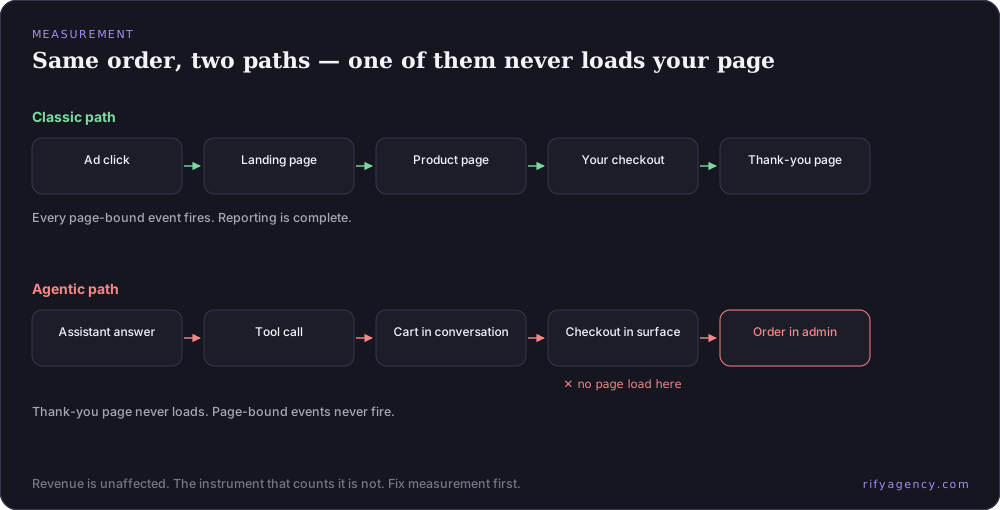
On this path the buyer never loads your thank-you page, because the purchase completed in Google's surface. Everything bound to that page stops firing.
That means page-based analytics purchase events do not fire. Advertising pixels do not fire. Tag-based ad conversion tracking does not fire. Audiences built from storefront pixel activity miss these buyers entirely. Multi-touch attribution platforms develop a gap they cannot see into. None of this produces an error — it produces quietly smaller numbers.
There is a second change landing in the same quarter that makes this worse. The release also includes more accurate session measurement, with bot filtering and unified user journeys. So your denominator — sessions — and your numerator — tracked conversions — both changed in the same period. If you compare conversion rate before and after without accounting for that, you will get a number that means nothing.
The repair, system by system
- Page-based analytics: switch purchase reporting to a server-side or measurement-protocol approach that reads from your order data rather than a page load.
- Advertising pixels: move to a server-side conversions API with the order as the event source.
- Ad platform conversion tags: switch to enhanced conversions or server-side upload.
- Multi-touch attribution tools: backfill from Shopify order webhooks, and accept that channel granularity gets coarser on this path.
- Customer match audiences: rebuild from order data rather than pixel activity.
- Reporting hygiene: draw an explicit version line in your dashboards at the date both changes landed, and rebuild your baseline after it. Do not compare across that line.
- Shopify order data: treat it as the single source of truth for this channel.
Should you opt out?
For most brands, no. Opting out pushes the sale back to the older click-through-to-landing-page-to-checkout path, but it does not give you back the exposure — you have only closed the higher-converting route while keeping the same visibility.
Three cases genuinely merit evaluation. First, brands that depend heavily on first-party on-site data for personalisation and loyalty programmes and cannot move to server-side measurement in the near term. Second, very high average order value businesses where a human needs to be in the sales process. Third, situations where compliance does not permit completing a transaction in a third-party interface.
Even in those three cases, the correct sequence is to fix server-side attribution first and then decide — because once measurement is repaired, two of the three arguments usually weaken considerably.
What to do this week
- Check your admin under sales channels and record your current switch state, with a screenshot and a date. Do not assume.
- Audit which of your conversion events are page-bound. For most brands this is four to six systems.
- Scope the server-side migration before you need the data, not after a board meeting asks why revenue reporting dropped.
- Put the version line in your dashboards now, while you still remember the date.
- Verify your declared payment handlers are not empty — on the Google agent path, an empty handler means there is no usable payment rail for your store regardless of your enrolment status.
Where we come in
Attribution repair is unglamorous and it is the first thing we do with clients on this, because every later conversation about AI channel performance depends on it. After that comes the interesting part: making sure you are actually retrievable and recommendable in those surfaces, which is the AI visibility and agent-readiness work.
If your reporting has gone soft this quarter and nobody can say why, or you want a clear read on whether your store is set up to close in these channels at all, that is a conversation worth having. Send us your domain and we will start from what is publicly verifiable.
常見問題
Did Google take my customers?
No. Orders arrive in your Shopify admin as standard orders with customer information, and fulfilment, service and refunds are unchanged. What changed is measurement: the events bound to your thank-you page never fire on this path.
Where is the switch?
In your Shopify admin under sales channels, in the agentic section. Check and record your current state rather than assuming — industry reporting describes this as having rolled out on an opt-out basis.
Why did my conversion rate change even though revenue looks flat?
Likely because two things changed in the same quarter: tracked conversions undercount on the agentic path, and session measurement itself was revised with bot filtering. Both your numerator and denominator moved, so cross-period comparisons are not meaningful until you rebuild the baseline.
What is the minimum fix if we have limited engineering time?
Make Shopify order data the source of truth for revenue reporting, and move your single most important conversion event server-side. That recovers the number executives actually ask about, and buys you time for the rest.
延伸閱讀
 Shopify Editions Fall '26: The Updates That Change Acquisition222 updates, 11 sections, and most coverage focused on the wrong ones. We read Shopify's own structured release data to find where the weight sits — and pulled out the nine updates that change how a brand gets found, chosen and measured.→
 Your Analytics Undercounts Agentic Orders: How to Fix ItWhen a purchase completes inside an AI assistant, your thank-you page is never loaded, so every event bound to it silently stops firing. Revenue is fine. Reporting is not. Here is the system-by-system repair, and why this is the first project rather than the last.→
 Promoted Placement: Paid Rank Inside AI Shopping AnswersShopify's cross-store catalogue now blends paid placements into the ranked organic results an AI agent sees, with a commission attached and mandatory disclosure. This is the moment agentic commerce gets an advertising layer — and the line between paid and organic is blurry by design.→
 How to Sell on ChatGPT with Shopify: Setup and Real LimitsGetting your Shopify products into AI assistant conversations is mostly a qualification exercise, not an integration project. Here are the eligibility gates, what the setup actually involves, and the five constraints that decide whether an agent recommends you or skips you.→